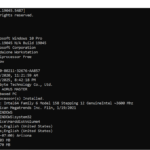
Replace YourUsername with your actual Windows username and D:\DestinationFolder with the path to the destination folder where you want to copy the AppData folder. Explanation of the switches used in the command: Again, please exercise caution when copying system and protected files. It's recommended to have a backup and ensure that you understand the consequences of … [Read more...] about Using XCOPY to copy all files, including system and protected
Using Robocopy to copy entire AppData Folder
Replace YourUsername with your actual Windows username and D:\DestinationFolder with the path to the destination folder where you want to copy the AppData folder. Explanation of the switches used in the command: Please note that the AppData folder may contain system and application-specific files, and blindly copying it to another location might not always be a good … [Read more...] about Using Robocopy to copy entire AppData Folder
Copy files to another location in DOS
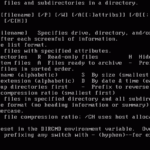
Example: Copy and overwrite files from drive A: to C:\DOS in DOS 6.22, you can use the COPY command. Here's the basic syntax: Replace SOURCEFILE with the name of the file you want to copy from drive A:, and replace DESTINATIONFILE with the name you want for the copied file on drive C:\DOS. If you want to copy all files from drive A: to C:\DOS and overwrite existing … [Read more...] about Copy files to another location in DOS
Remove Drive letter with Command Prompt when Disk Management won’t.
To remove a drive letter from a partition using the Command Prompt in Windows, follow these steps: The drive letter will be removed, and the partition will no longer be accessible via that drive letter. However, the partition's data will remain intact, and it can still be reassigned a letter if needed. … [Read more...] about Remove Drive letter with Command Prompt when Disk Management won’t.
Manage Partitions in CMD Prompt Instead of Disk Management
When you need to manage disk partitions but Windows Disk Management won't let you modify partitions you can use Command Prompt to do it. To manage disk partitions using Command Prompt in Windows, you can use the DiskPart utility, which provides a text-based interface for partitioning and managing disks. Here’s a step-by-step guide: 1 Open DiskPart Open Command Prompt … [Read more...] about Manage Partitions in CMD Prompt Instead of Disk Management
Back up Windows Drivers with Command Prompt
To export all drivers on a Windows 8, 8.1, 10, 11 or Windows Server 2012, 2016, 2019, 2022 system to a specified folder (e.g., D:\drivers), you can use the DISM (Deployment Imaging Service and Management) tool in Command Prompt. Here’s how: This will back up your drivers, allowing you to restore them later if needed. DISM is not recognized error If you're receiving a … [Read more...] about Back up Windows Drivers with Command Prompt
Teamgroup Affordable SSD drives

Teamgroup SSD drives are an affordable low-cost alternative to many other SSD brands available from Amazon. Like most SSDs these days they don't include power or data cables and come in simple easy to open disposable packaging. At the time of this posting, Teamgroup has a 4.5 star rating out of 2,356 reviews. T-Force Vulcan Series SSD for Gaming or Daily Driver As of … [Read more...] about Teamgroup Affordable SSD drives
Broadband Cable TV and Satellite Lightning Surge Protector
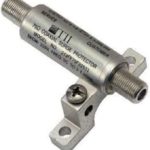
Broadband Cable TV and Satellite Lightning Surge Protector Extension Pole Cellular Signal Filter for OTA Antennas Indoor OTA Signal Booster … [Read more...] about Broadband Cable TV and Satellite Lightning Surge Protector
4-Port Cable TV/Antenna/HDTV/Internet Digital Signal Amplifier
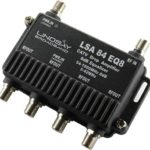
4-Port Cable TV/Antenna/HDTV/Internet Digital Signal Amplifier/Booster/Splitter/Equalizer with Passive Return, F59 Terminators (Lindsay LSA84-EQ8). For use with OTA Antennas to boost weak signals for Digital Encoding applications like Plex Server. … [Read more...] about 4-Port Cable TV/Antenna/HDTV/Internet Digital Signal Amplifier
Improve your Windows efficiency with Keyboard Shortcuts
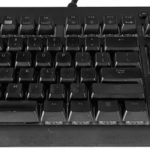
Keyboard shortcuts can save a lot of time with repetitive tasks when you are blogging or copywriting or just about anything else. Instead of having to use multiple mouse clicks or navigate multiple windows these shortcuts can quickly improve your efficiency. Many of the keyboard shortcuts listed below require the use of multiple keys being activated simultaneously … [Read more...] about Improve your Windows efficiency with Keyboard Shortcuts