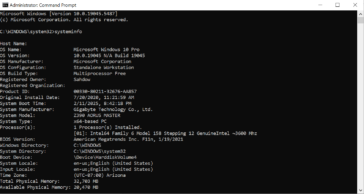
To remove user accounts from the logout or login screen without deleting the accounts, you can hide them from appearing in the list. Here's how you can do it using Command Prompt: Steps: 1 Open Command Prompt as Administrator: 2 List all user accounts: 3 Disable the account login display: 4 To re-enable the account: This method prevents the … [Read more...] about Command Prompt: Hide User Account from Login Screen
Using XCOPY to copy all files, including system and protected
Replace YourUsername with your actual Windows username and D:\DestinationFolder with the path to the destination folder where you want to copy the AppData folder. Explanation of the switches used in the command: Again, please exercise caution when copying system and protected files. It's recommended to have a backup and ensure that you understand the consequences of … [Read more...] about Using XCOPY to copy all files, including system and protected
Using Robocopy to copy entire AppData Folder
Replace YourUsername with your actual Windows username and D:\DestinationFolder with the path to the destination folder where you want to copy the AppData folder. Explanation of the switches used in the command: Please note that the AppData folder may contain system and application-specific files, and blindly copying it to another location might not always be a good … [Read more...] about Using Robocopy to copy entire AppData Folder
Remove Drive letter with Command Prompt when Disk Management won’t.
To remove a drive letter from a partition using the Command Prompt in Windows, follow these steps: The drive letter will be removed, and the partition will no longer be accessible via that drive letter. However, the partition's data will remain intact, and it can still be reassigned a letter if needed. … [Read more...] about Remove Drive letter with Command Prompt when Disk Management won’t.
Manage Partitions in CMD Prompt Instead of Disk Management
When you need to manage disk partitions but Windows Disk Management won't let you modify partitions you can use Command Prompt to do it. To manage disk partitions using Command Prompt in Windows, you can use the DiskPart utility, which provides a text-based interface for partitioning and managing disks. Here’s a step-by-step guide: 1 Open DiskPart Open Command Prompt … [Read more...] about Manage Partitions in CMD Prompt Instead of Disk Management