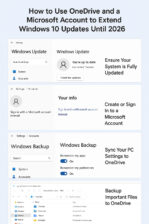
Here's how to get 1-Year of Extended Updates for Windows 10 Step-by-step guide including how to create a Microsoft account if you don’t have one, and how to use OneDrive to enable the free Extended Security Updates (ESU) for Windows 10 until 2026: How to Use OneDrive and a Microsoft Account to Extend Windows 10 Updates Until 2026 Step 1: Ensure Your System Is Fully … [Read more...] about 5 Easy Steps to Extended Windows 10 Updates
Windows 11 Vs. Windows 10: Spot the Differences
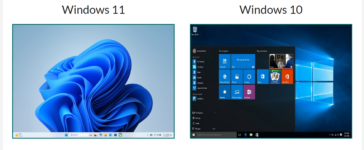
Windows 11 Vs. Windows 10:Spot the Differences A Visual and Practical Guide to Identifying Your Windows Version Side-by-Side Comparison Windows 11 Windows 11 welcomes you with a fresh, modern interface. The most notable change is the centered Start Menu and taskbar icons. Windows corners are rounded, and the overall look is more streamlined and minimalist. Widgets and … [Read more...] about Windows 11 Vs. Windows 10: Spot the Differences
Why the End of Windows 10 Is a Security Concern for Seniors
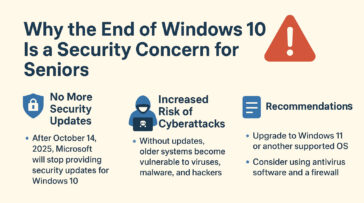
Microsoft has announced that Windows 10 will reach its “end of life” on October 14, 2025. After that date, the system will no longer receive regular updates, including critical security fixes. For seniors who rely on their computers for banking, email, telehealth, or staying in touch with family, this change is important to understand. When Microsoft stops supporting Windows … [Read more...] about Why the End of Windows 10 Is a Security Concern for Seniors
Reset Forgotten Windows Password
How to reset your Windows password, when you've forgotten it and Windows is set to automatically logon. To reset a user password using the Windows Command Prompt, you can use the net user command. Keep in mind that you'll need administrative privileges to perform this action. Here's how you can do it: 1 Open Command Prompt as Administrator: 2 Reset User … [Read more...] about Reset Forgotten Windows Password
Update Win 10 Home to Win 10 Pro
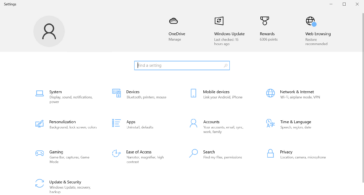
1. Check Your Current Version 2. Purchase a Windows 10 Pro License You need a valid Windows 10 Pro product key. You can: 3. Upgrade Using a Product Key 4. Upgrade via Microsoft Store If you don’t have a product key: 5. Restart Your PC Once the upgrade is complete, restart your computer to apply the changes. … [Read more...] about Update Win 10 Home to Win 10 Pro